
VeoAIFree vs Official Veo 3: Safety, Limits, and Better Alternatives
A balanced guide to VeoAIFree, official Veo 3 access, safety checks, free limits, and better AI video alternatives.
Emma Chen · 19 min read · Apr 28, 2026
VeoAIFree vs Official Veo 3: Safety, Limits, and Better Alternatives
Meta description: VeoAIFree vs official Veo 3: compare safety, free limits, access risks, and better alternatives for trying AI video tools responsibly.
If you searched for VeoAIFree, veo ai free, or a free way to try Veo 3, you are probably trying to answer a practical question: can you test Google-quality AI video without paying, waiting for access, or handing sensitive prompts to a website you do not know?
That question is reasonable. Video generation can be expensive, official access can feel confusing, and many third-party sites use names that sound close to major AI models. Some are legitimate wrappers, some are directories, some are experimental demos, and some are simply landing pages that collect traffic around trending keywords. The problem is not that every free site is unsafe. The problem is that users often cannot tell what is official, what model is actually running, what happens to uploaded files, or whether the output rights and privacy terms are acceptable for real work.
This guide gives you a balanced comparison between VeoAIFree-style third-party sites and official Veo 3 access. It does not assume bad intent from any specific site. Instead, it explains the checks you should run before using any free AI video generator, the limits you should expect, and the safer alternatives if your goal is commercial content, brand work, YouTube production, product demos, ads, or repeatable creative workflows.
Quick answer: should you use VeoAIFree?
Use a third-party free site only for low-risk experiments. Do not upload private footage, unreleased product material, client assets, personal IDs, confidential scripts, children’s images, or anything that would create business damage if stored, reused, or exposed. If a site clearly explains who operates it, what model it uses, how credits work, where files are processed, and what rights you keep, it may be fine for casual testing. If those details are missing, treat it as a demo, not a production tool.
For serious work, official access or established alternatives are safer. Official Veo 3 channels are more likely to provide clear usage terms, account controls, safety filters, billing history, enterprise options, and predictable model behavior. Established AI video platforms may not always use Veo 3, but they usually provide clearer product support, visible pricing, commercial plans, and workflow tools.
What is VeoAIFree?
VeoAIFree is best understood as a search intent and a category: users are looking for a free Veo AI experience, often because they want to try text-to-video or image-to-video before committing to a paid tool. A site using a name like VeoAIFree may be a free AI video website, a content hub, a model wrapper, an affiliate page, or a gateway to another service.
The key point is that a name containing “Veo” does not automatically mean the site is operated by Google or that it provides official Veo 3 access. Many AI websites use trend-based naming to describe what users want: free Veo AI, Veo 3 online, Google Veo alternative, AI video generator, or text-to-video demo. That can be useful for discovery, but it should not replace verification.
Before entering prompts or uploading files, check whether the page clearly answers four questions:
- Who runs this service?
- Is it affiliated with Google, or is it independent?
- Which video model is actually being used?
- What happens to prompts, images, videos, account data, and outputs?
If the answers are hard to find, use the site only for harmless tests.
What is official Veo 3 access?
Official Veo 3 access means you are using a channel provided or clearly authorized by Google. The exact access path can change over time and may vary by region, account type, product tier, waitlist status, or enterprise availability. Depending on Google’s current rollout, users may encounter Veo through Google AI products, developer tools, creative interfaces, or cloud offerings.
The advantage of official access is not only model quality. It is also trust infrastructure. Official channels usually provide clearer documentation, model limitations, policy disclosures, account security, billing controls, content safety systems, and support paths. For teams, official or enterprise-grade access also makes it easier to document where assets were generated and how data was handled.
That matters because AI video is not just a toy. It can include faces, voices, product claims, brand assets, licensed footage, and client concepts. The more valuable the input, the more important it is to use a channel with transparent terms.
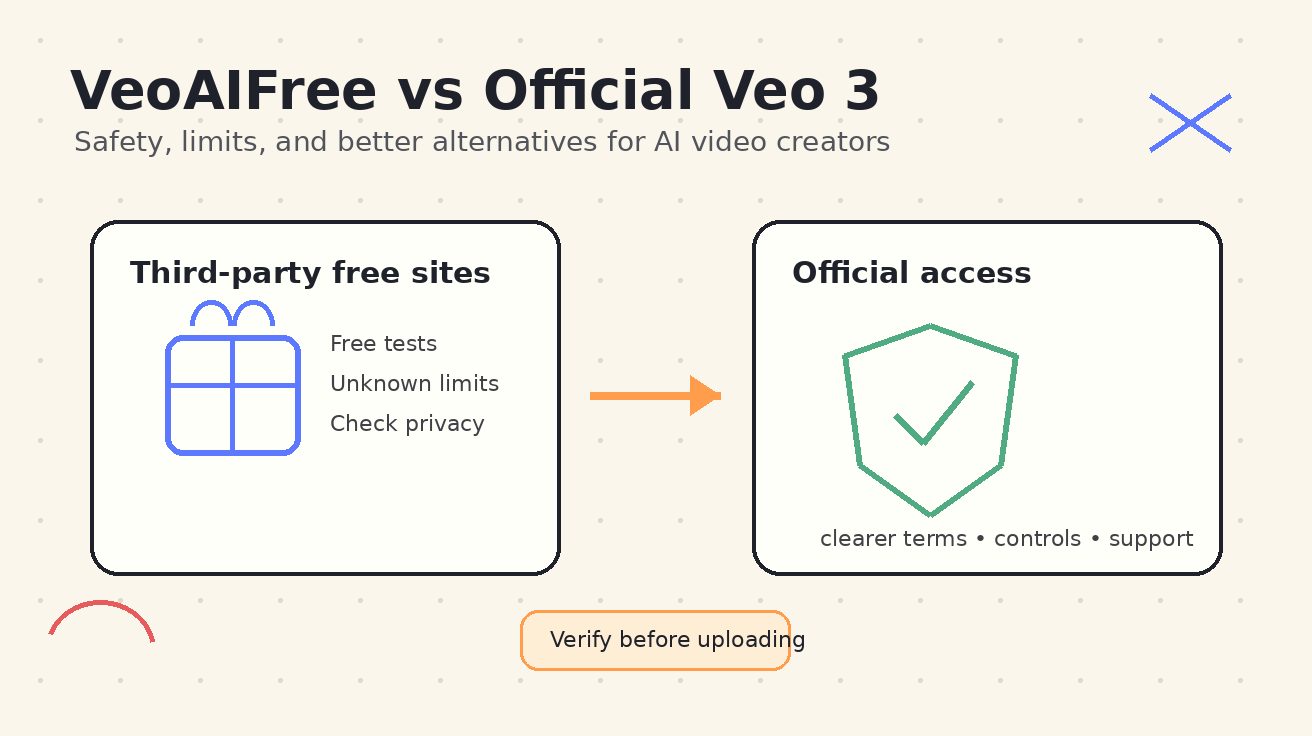
VeoAIFree vs official Veo 3: practical comparison
| Factor | VeoAIFree-style third-party site | Official Veo 3 access |
|---|---|---|
| Affiliation | May be independent; verify carefully | Provided by Google or an official product path |
| Cost | Often free trials, limited credits, ads, or sign-up gates | May be limited, waitlisted, paid, or tied to a product plan |
| Model clarity | Sometimes unclear which model is used | Clearer model naming and documentation |
| Privacy terms | Varies widely; may be short or missing | More formal policies and account-level controls |
| Output rights | Must read each site’s terms | Usually documented in official terms |
| Reliability | Can change quickly; queues and failures are common | More predictable, though still subject to quotas |
| Support | Often limited or none | Better docs, help center, or enterprise support |
| Best use | Casual experiments and prompt testing | Serious production, team workflows, brand assets |
The takeaway: free third-party tools can be useful, but they are not interchangeable with official access.
Safety checklist before using any free Veo AI site
Use this checklist for VeoAIFree, any “veo ai free” website, or any AI video generator that asks for prompts, images, account sign-in, or payment details.
1. Confirm whether the site is official or independent
Look for clear ownership information. A legitimate independent tool can say, “We are not affiliated with Google.” That is fine. What you want to avoid is ambiguity. If a page strongly implies official status but does not provide a company name, legal page, contact channel, or terms of service, be careful.
Check the domain name, footer, privacy policy, and sign-in flow. Official services should use official domains or clearly documented product pages. If a third-party site asks you to sign in with Google, make sure you understand what permissions are requested.
2. Read the privacy policy before uploading assets
AI video prompts can reveal more than people realize. A prompt might include a campaign idea, product positioning, character concept, launch plan, market segment, storyboard, or client reference. Uploaded images may include faces, private locations, prototypes, or copyrighted material.
A responsible service should explain whether prompts and uploads are stored, used for model improvement, shared with vendors, deleted after a period, or visible to staff. If a site has no privacy policy, or if the policy is generic and does not mention generated media, treat it as a high-risk environment.
3. Avoid sensitive or regulated content
Do not test a free site with healthcare records, financial documents, legal case materials, unreleased product designs, internal company videos, customer data, credentials, private family footage, or any image of a person who did not consent to the upload.
Even if the site is honest, free tools often rely on third-party APIs, queues, storage providers, or analytics systems. You may not know where the content travels. For private or regulated work, use official, enterprise, or contractually reviewed tools.
4. Check model disclosure
A site may rank for Veo-related terms without actually using Veo. It may use another model, a stock video template, an image animation model, or a basic motion effect. That is not necessarily bad, but you should know what you are evaluating.
If you are comparing output quality, model disclosure matters. A “Veo AI free” demo that uses a different backend cannot tell you what official Veo 3 will produce. It can still help you practice prompt writing, but it should not be used as a quality benchmark for Veo 3.
5. Inspect free credit limits
Free tools usually include constraints: watermarks, queue delays, low resolution, short duration, limited downloads, no commercial rights, one generation per day, locked aspect ratios, or restricted prompt categories. Some sites offer free preview but require payment to download the final video.
Before investing time in a prompt workflow, check whether you can download outputs, remove watermarks, choose resolution, retain commercial rights, and regenerate failed clips. A free generator is less useful if it cannot export usable files.
6. Review output rights and commercial terms
For personal experiments, rights may not matter much. For brand content, ads, YouTube monetization, client work, educational products, app store videos, or paid social campaigns, they matter a lot.
Look for terms that explain whether you own the output, whether the platform can reuse it, whether commercial use is allowed, and whether there are restrictions on people, logos, public figures, music, trademarks, or misleading claims. If the terms are unclear, do not use the output commercially.
7. Watch for payment and subscription traps
A free AI video tool may ask for a card after a few generations. That is not automatically bad, but the pricing should be transparent. Check renewal terms, cancellation steps, refund rules, credit expiration, and whether unused credits roll over.
Avoid entering payment details if the pricing page is vague, the checkout domain changes unexpectedly, or the cancellation policy is missing.
8. Test with disposable prompts first
The safest first test is a neutral prompt with no private data. For example: “A paper boat floating on a quiet pond at sunrise, soft cinematic lighting, gentle camera movement.” This tells you whether the tool works without revealing anything valuable.
Only after you understand the tool’s quality, speed, download options, and terms should you consider more specific creative work.
Common limits of third-party free Veo AI tools
Free AI video sites are attractive because they reduce friction. However, they usually have limits that become obvious once you move beyond a few tests.
Short clip duration
Many free generators restrict clips to a few seconds. That is fine for prompt exploration, but it is not enough for a full ad, tutorial, story sequence, product demo, or music video. If you need a complete project, you will likely need scene planning, multiple clips, editing, and consistent style controls.
Lower resolution or compressed downloads
Free outputs may be limited to 480p, 720p, or heavily compressed MP4 files. Some tools show a nice preview but watermark or compress the downloaded version. If your final destination is YouTube, TikTok, Instagram Reels, a landing page, or paid ads, check export quality before you build the entire workflow around the tool.
Watermarks
Watermarks are normal in free plans, but they limit commercial use. Removing watermarks may require a paid plan. If you are creating brand assets, watermark policy should be one of your first checks.
Queue delays and failed generations
Video generation is compute-intensive. Free tools may place users in long queues or fail during peak demand. A tool that works for casual experimentation may not be reliable for a deadline.
Limited prompt control
Advanced users need camera movement, character consistency, style references, seed control, negative prompts, scene continuity, and image-to-video control. Free wrappers may hide these options to keep the interface simple. That simplicity helps beginners, but it can reduce repeatability.
Unclear support
When a generation fails, credits disappear, or a download breaks, support quality matters. Many free tools have no guaranteed support. For one-off tests, that is acceptable. For production, it is risky.
When a free Veo AI site is useful
A free site can still be valuable if you use it for the right job.
Use it for prompt practice. Testing a dozen simple prompts can help you learn how text-to-video models respond to camera movement, lighting, pacing, and subject descriptions.
Use it for idea validation. If you are unsure whether a concept is visually promising, a rough free generation can help you decide whether to develop the idea further.
Use it for low-stakes social content. If the output is clearly allowed for use and contains no private material, free tools may be enough for experiments, memes, or personal posts.
Use it to compare workflow friction. Sometimes the best tool is not the model with the highest theoretical quality, but the one that lets you generate, revise, and export quickly.
The important boundary is this: do not confuse a free test with a production pipeline.
When you should use official Veo 3 or a stronger alternative
Choose official Veo 3 access, or a reputable AI video platform, when the stakes are higher.
Use official or established tools for client projects, paid campaigns, product launches, educational courses, monetized YouTube channels, internal company videos, investor materials, and any work that includes brand assets or real people.
You should also use a stronger tool when you need consistent characters, repeatable style, clean exports, commercial rights, team collaboration, version history, prompt management, API access, or predictable billing.
For many creators, the best workflow is hybrid: use free tools for exploration, then move the winning concepts into a production-grade platform.
Better alternatives to VeoAIFree for different needs
The best alternative depends on what you are trying to create. Here are safer categories to consider.
1. Official Veo 3 channels
If your goal is specifically to test Veo 3 quality, start with official Google channels. Look for current Google documentation, official product pages, account eligibility, supported countries, usage policies, and pricing. Official access may not always be the cheapest or fastest option, but it is the cleanest way to evaluate the actual model.
Best for: users who need true Veo 3 output, developers, teams, brand-safe workflows, and serious model evaluation.
2. Google AI Studio or developer tools
For users who want a more technical workflow, developer environments can be useful when available. They may provide clearer model settings, structured prompts, API testing, and documentation. The tradeoff is that they may be less beginner-friendly than a one-click video website.
Best for: builders, technical marketers, agencies, automation workflows, and users who want to compare prompts systematically.
3. Established AI video platforms
Tools such as Runway, Kling, Pika, Luma, Hailuo, and other reputable platforms may not be Veo 3, but they often provide practical controls for creators: image-to-video, text-to-video, extend features, camera controls, style references, and commercial plan options. Always verify current terms and capabilities, because AI video products change quickly.
Best for: creators who care more about finished output than the exact model brand.
4. Veo 3 alternative sites with transparent terms
Some independent sites are useful if they are transparent. A good alternative explains its company identity, model provider, privacy handling, usage limits, pricing, output rights, and support channel. Transparency does not guarantee quality, but it reduces uncertainty.
Best for: casual users who want low-friction generation but still care about safety.
5. Manual editing plus AI clips
For many projects, the highest-quality result comes from combining AI clips with traditional editing. Generate short shots, then assemble them in CapCut, Premiere Pro, DaVinci Resolve, Final Cut, or a browser-based editor. Add captions, music, voiceover, brand graphics, transitions, and human review.
Best for: YouTube Shorts, TikTok ads, product explainers, tutorials, and social campaigns.
How to test VeoAIFree safely: a 10-minute workflow
If you still want to try a VeoAIFree-style site, use this low-risk workflow.
First, open the homepage and look for ownership, terms, privacy policy, pricing, and model disclosure. If these pages are missing, continue only with a disposable prompt.
Second, create a neutral test prompt with no private details. Use a generic scene, such as a landscape, abstract object, or fictional product. Avoid faces, logos, client names, unpublished campaign ideas, or copyrighted characters.
Third, generate one clip and check the result. Evaluate motion stability, prompt adherence, visual quality, watermark, download format, resolution, and whether the site exposes your result publicly.
Fourth, read the download and usage terms. If commercial use is not clearly allowed, do not use the output in business content.
Fifth, compare the same prompt in an official or established alternative. This tells you whether the free tool is good enough or whether it is only useful for brainstorming.
This process keeps the experiment useful without risking valuable assets.
Prompt example for safe testing
Here is a safe prompt you can use without revealing private information:
A miniature paper lighthouse on a wooden desk, warm morning sunlight, gentle cinematic dolly-in, soft shadows, shallow depth of field, realistic paper texture, calm atmosphere, no text, no logos.
This prompt is useful because it tests object consistency, camera movement, lighting, texture, and text avoidance. It does not include real people, brand material, private locations, or confidential concepts.
For a more advanced test, add a second prompt:
A small robot gardener watering tiny plants in a glass terrarium, cozy studio lighting, slow side tracking shot, whimsical but realistic, detailed leaves, smooth motion, no text, no watermark.
If the tool handles both prompts well, you can continue testing. If it fails on simple scenes, it is unlikely to handle a production storyboard.
Red flags to watch for
Be cautious if a site claims unlimited free Veo 3 generations with no explanation of cost, model source, or queue limits. Video generation is expensive, so “unlimited free” claims deserve scrutiny.
Be cautious if the site uses official-looking language but does not clearly state whether it is affiliated with Google. Independent tools should be transparent about independence.
Be cautious if there is no privacy policy, no terms of service, no contact information, or no explanation of output rights.
Be cautious if the site requires payment before showing pricing details, asks for unnecessary permissions, or makes cancellation difficult.
Be cautious if generated videos are publicly posted by default. Some creative communities are public by design, but private work should not appear in a public feed without clear consent.
These red flags do not prove that a site is malicious. They simply mean the site is not appropriate for sensitive or commercial work.
What “free” really costs in AI video
Free AI video tools often trade money for something else: lower quality, slower queues, watermarks, limited rights, data collection, ads, affiliate redirects, or upgrade pressure. That can be acceptable when you understand the tradeoff.
The mistake is assuming that a free Veo AI tool gives the same guarantees as official Veo 3 access. It usually does not. The model may be different, the terms may be different, and the reliability may be different.
For creators, the smartest approach is to separate three stages:
- Exploration: use free or low-cost tools to learn what is possible.
- Validation: compare the best prompts across several reputable tools.
- Production: use the tool with the best combination of rights, quality, reliability, and workflow control.
This approach prevents wasted time and reduces risk.
Recommended decision framework
Choose a VeoAIFree-style site if your project is personal, low-risk, non-commercial, and does not include private assets. Use it to learn prompt structure, test simple visuals, and compare output styles.
Choose official Veo 3 if you specifically need Veo 3 results, want clearer terms, or need a trusted channel for serious work.
Choose a different established AI video platform if you need production features now and are flexible about the exact model. In many cases, practical controls, export quality, and commercial terms matter more than using a specific model name.
Choose a manual editing workflow if you need polished results. AI video clips are rarely the entire final product. The strongest creators use AI generation as raw material, then edit, caption, score, and refine.
FAQ
Is VeoAIFree official Google Veo 3?
Do not assume that from the name alone. Check the domain, company information, terms, privacy policy, and model disclosure. Official Google products should be accessed through official Google channels or clearly documented integrations.
Is it safe to use a free Veo AI generator?
It can be safe for low-risk testing if you avoid private uploads and verify the terms. It is not the right place for confidential, regulated, client, or commercial assets unless the provider clearly documents privacy, rights, and security.
Can I use VeoAIFree videos commercially?
Only if the site’s terms clearly allow commercial use and you comply with all restrictions. If the terms are missing or unclear, do not use the output commercially.
Why do free AI video tools have limits?
Video generation requires expensive compute. Free plans usually control cost through credits, queues, watermarks, lower resolution, short duration, or paid upgrades.
What is the best official Veo 3 alternative?
The best alternative depends on your goal. If you need true Veo 3, use official access. If you need finished creative work, compare established AI video platforms based on quality, rights, exports, reliability, and workflow controls.
Should I upload product images or client footage to a free site?
Not unless the provider has been reviewed and the terms are acceptable. For confidential or client work, use official, enterprise, or contract-approved tools.
How can I tell what model a site uses?
Look for model disclosure in the interface, documentation, terms, FAQ, or API notes. If the site does not say, ask support or treat the output as a generic AI video result rather than a Veo 3 benchmark.
Is official Veo 3 always better than alternatives?
Not always for every workflow. Official Veo 3 may offer excellent model quality, but another platform may be faster, cheaper, more available, or better for editing. Evaluate the whole workflow, not just the model name.
Final recommendation
VeoAIFree and similar “veo ai free” sites are useful for curiosity, prompt practice, and low-risk experiments. They are not a substitute for official Veo 3 access when privacy, rights, reliability, and model authenticity matter.
If you want to experiment, start with harmless prompts and read the terms. If you want to publish, sell, or deliver work to a client, move to official Veo 3 access or a reputable AI video platform with clear commercial rights. The safest strategy is simple: use free tools to learn, use trusted tools to produce, and never upload anything to a third-party generator that you would not be comfortable losing control over.
Related Articles
Continue with more blog posts in the same locale.

What is Google Veo 4?
Complete overview of Google Veo 4 AI video generator features, capabilities, and improvements over Veo 3.
Read article
How to Use Google Veo 4
Step-by-step guide to using Google Veo 4 AI video generator. Learn prompts, settings, and best practices for creating stunning AI videos.
Read article
Veo 3 in Google AI Studio: Limits, Free Access, and Prompt Workflow
Learn how Veo 3 works in Google AI Studio, what free access really means, the key limits, and a prompt workflow that avoids wasted generations.
Read article