
Veo 3 for Education: How Teachers Use AI Video in 2026
Complete guide to using Google Veo 3 in education. How teachers create concept visualizations, historical recreations, science demonstrations, and engaging lesson content with AI video.
Emma Chen · 14 min read · Apr 27, 2026
Veo 3 for Education: How Teachers Use AI Video in 2026
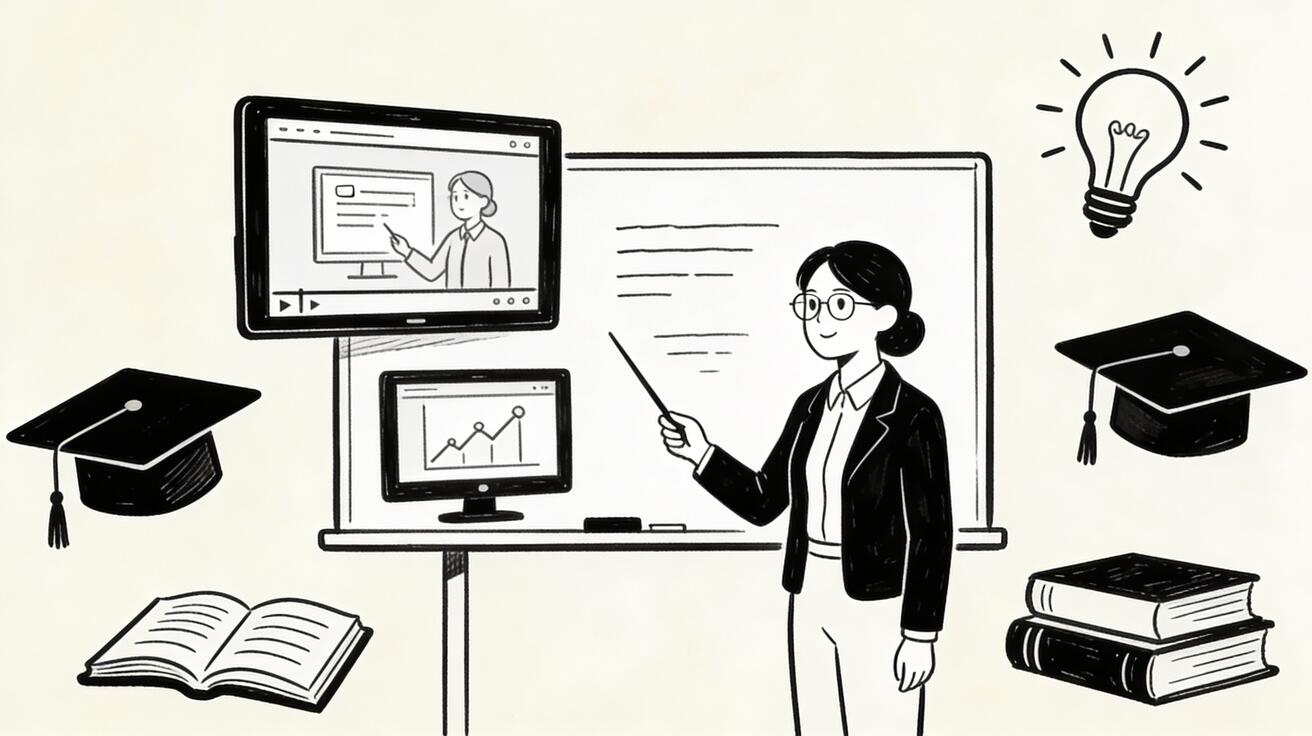
Artificial intelligence is transforming education, and AI video generation is one of the most exciting developments for teachers and educators. Google's Veo 3 has emerged as a powerful tool for creating educational content — from animated explanations of complex concepts to virtual field trips, historical recreations, and engaging lesson materials.
This guide explores how teachers, professors, and educational content creators are using Veo 3 to enhance learning outcomes, save time, and create content that would have been impossible or prohibitively expensive just a few years ago.
Why AI Video Matters for Education
Video is one of the most effective learning modalities. Research consistently shows that students retain information better when it's presented visually, and that engagement increases significantly with video content compared to text alone.
But creating high-quality educational video has traditionally been expensive and time-consuming. Professional video production requires equipment, editing skills, and significant time investment. Most teachers simply don't have the resources to create custom video content for every lesson.
Veo 3 changes this equation. With AI video generation, a teacher can create a custom animated explanation of photosynthesis, a virtual tour of ancient Rome, or a visualization of how a virus replicates — in minutes, not days.
How Teachers Are Using Veo 3
Concept Visualization
Abstract concepts are notoriously difficult to teach. How do you show students what happens inside a cell? How do you make the scale of the solar system comprehensible? How do you visualize the flow of electricity through a circuit?
Veo 3 excels at creating visualizations of concepts that can't be filmed. Teachers are using it to generate:
- Biology animations — cell division, protein synthesis, immune system responses
- Physics visualizations — wave propagation, electromagnetic fields, quantum phenomena
- Chemistry demonstrations — molecular interactions, reaction mechanisms, atomic structure
- Mathematics illustrations — geometric transformations, function graphs, probability distributions
- Historical recreations — ancient civilizations, historical events, archaeological sites
Example prompt for a biology teacher:
"Animation showing a cell undergoing mitosis, clear labels for each phase (prophase, metaphase, anaphase, telophase), educational diagram style, clean and clear visualization, suitable for high school biology"
Historical and Cultural Content
History and social studies teachers face a particular challenge: the events they teach about can't be filmed. Veo 3 allows them to create visual representations of historical events, ancient civilizations, and cultural practices.
Use cases:
- Virtual tours of ancient Rome, Egypt, or Greece
- Recreations of historical events (with appropriate caveats about artistic interpretation)
- Visualizations of how ancient technologies worked
- Cultural practices and traditions from around the world
- Geographic and environmental changes over time
Example prompt:
"A visualization of ancient Rome at its peak, showing the Forum Romanum with citizens in togas, the Colosseum in the background, realistic historical recreation style, educational documentary aesthetic"
Science Demonstrations
Some science demonstrations are too dangerous, expensive, or impractical to perform in a classroom. Veo 3 can create safe, clear visualizations of:
- Chemical reactions that would be hazardous in a classroom
- Experiments that require expensive equipment
- Phenomena that happen too fast or too slow to observe directly
- Processes that occur at scales too small or too large to see
Example prompt:
"A clear visualization of a volcanic eruption showing the geological processes involved, cross-section view showing magma chamber, educational diagram style, suitable for earth science class"
Language Learning
Language teachers are finding creative uses for Veo 3 in creating immersive language learning content:
- Situational dialogues showing native speakers in context
- Cultural content from target language countries
- Visual vocabulary lessons with animated objects
- Storytelling content in the target language
Example prompt:
"Two people having a conversation in a French café, natural body language and gestures, authentic Parisian setting, suitable for French language learning, clear and natural interaction"
Special Education
Veo 3 has particular value for special education, where visual and concrete representations of abstract concepts can be especially important:
- Social stories showing appropriate social behaviors
- Visual schedules and routines
- Concrete representations of abstract concepts
- Calming and sensory content
Practical Workflow for Teachers
Getting Started with Veo 3
- Access Veo 3 — Available through Google AI Studio (free tier available) or Vertex AI for institutional access
- Start simple — Begin with straightforward concept visualizations before attempting complex scenes
- Iterate — Generate multiple versions of each concept and select the clearest one
- Review for accuracy — Always review AI-generated educational content for factual accuracy before showing students
Prompt Writing for Educational Content
Educational prompts have specific requirements that differ from general creative prompts. Key principles:
Be specific about educational purpose:
"Educational animation showing [concept] for [grade level] students, clear and accurate, [style]"
Specify clarity requirements:
"Clear labels, simple visual language, no distracting elements, educational diagram style"
Include accuracy requirements:
"Scientifically accurate, based on current understanding, suitable for [subject] class"
Example educational prompt template:
"An educational animation showing [CONCEPT] for [GRADE LEVEL] students. [SPECIFIC VISUAL ELEMENTS]. Clear and accurate representation, educational diagram style, [COLOR SCHEME], suitable for classroom use."
Building a Content Library
Rather than creating content on demand, experienced teacher-creators build libraries of reusable content:
- Identify recurring concepts — What do you explain every year? These are your highest-value targets for AI video creation.
- Create once, reuse many times — A good visualization of cell division can be used for years.
- Organize by curriculum — Tag content by unit, grade level, and learning objective.
- Share with colleagues — Educational content created with Veo 3 can be shared across departments and schools.
Veo 3 in Different Educational Contexts
K-12 Education
Elementary and middle school teachers are using Veo 3 for:
- Engaging story-based content that captures young learners' attention
- Visual explanations of abstract concepts appropriate for developmental level
- Interactive-style content that prompts discussion
- Culturally diverse content that represents all students
High school teachers use it for:
- More sophisticated concept visualizations
- Historical and scientific recreations
- Content that supplements textbook material
- Preparation for standardized test concepts
Higher Education
University professors are finding Veo 3 valuable for:
- Visualizing complex theoretical concepts
- Creating content for online and hybrid courses
- Supplementing lectures with visual demonstrations
- Research visualization for presentations
Corporate Training
Corporate trainers and L&D professionals use Veo 3 for:
- Process and procedure demonstrations
- Safety training scenarios
- Product knowledge content
- Onboarding materials
Online Course Creation
Online course creators have embraced Veo 3 for:
- Creating engaging visual content without expensive production
- Illustrating concepts that are difficult to explain with text alone
- Creating consistent visual style across course modules
- Producing content at scale for large course libraries
Quality and Accuracy Considerations
Fact-Checking AI-Generated Educational Content
This is critical: always verify the factual accuracy of AI-generated educational content before using it with students. Veo 3 generates visually compelling content, but it can make errors in scientific accuracy, historical detail, or conceptual representation.
Verification checklist:
- Does the visualization accurately represent the concept?
- Are any labels or text elements correct?
- Does the motion/animation accurately reflect how the process works?
- Would a subject matter expert approve this representation?
Age-Appropriate Content
When creating content for younger students, be explicit in your prompts about age appropriateness:
- "Suitable for elementary school students"
- "Age-appropriate for 8-10 year olds"
- "Simple and clear, no complex or disturbing elements"
Accessibility
Consider accessibility when creating educational video content:
- Add captions to all video content
- Ensure sufficient contrast for students with visual impairments
- Provide alternative text descriptions for students who can't access video
- Consider students with sensory sensitivities when using motion and sound
Institutional Considerations
Privacy and Data
When using Veo 3 in educational settings, consider:
- Student data privacy (FERPA in the US, GDPR in Europe)
- Institutional policies on AI tool use
- Whether student-generated prompts constitute personal data
- Data retention policies of the AI service
Copyright and Attribution
Content generated with Veo 3 is generally owned by the creator, but policies vary. Check Google's current terms of service for educational use. When sharing AI-generated content, be transparent about its AI origin.
Equity Considerations
Not all students have equal access to technology. When using AI-generated video content:
- Ensure content is accessible to students without reliable internet access
- Provide offline alternatives when possible
- Don't assume all students can access video content at home
Measuring Educational Impact
How do you know if AI video content is actually improving learning outcomes? Key metrics to track:
Engagement metrics:
- Do students watch the full video?
- Do they ask more questions after watching?
- Do they reference the video in discussions?
Learning metrics:
- Do assessment scores improve for concepts covered with AI video?
- Can students explain concepts more accurately after watching?
- Do students retain information longer?
Efficiency metrics:
- How much time does AI video creation save compared to traditional methods?
- What is the cost per student of AI-generated content vs. traditional video?
The Future of AI Video in Education
We're at the beginning of a significant transformation in educational content creation. As AI video technology improves, we can expect:
- Personalized content — Videos tailored to individual student learning levels and styles
- Interactive video — AI-generated content that responds to student input
- Real-time generation — Teachers generating custom content during class in response to student questions
- Multilingual content — Automatic generation of content in students' native languages
- Accessibility features — Built-in captions, audio descriptions, and other accessibility features
Teachers who develop proficiency with AI video tools now will be well-positioned to leverage these advances as they emerge.
Frequently Asked Questions
Is Veo 3 free for teachers? Veo 3 is available through Google AI Studio with a free tier that includes limited generation credits. Educational institutions may be able to access more generous terms through Google's education programs. Check Google's current pricing and education offerings for the most up-to-date information.
How accurate is Veo 3 for scientific content? Veo 3 can produce visually compelling scientific content, but accuracy varies. Always review AI-generated scientific content with subject matter expertise before using it with students. Use it as a starting point, not a final product.
Can students use Veo 3 for projects? Yes, with appropriate guidance. Student use of AI video tools can be a valuable learning experience, teaching both content knowledge and AI literacy. Establish clear guidelines about attribution and academic integrity.
How long does it take to create educational content with Veo 3? Simple concept visualizations can be generated in minutes. More complex content requiring multiple iterations may take 30-60 minutes. This is still dramatically faster than traditional video production.
Can I share Veo 3-generated content with other teachers? Generally yes, subject to Google's terms of service. Sharing educational content with colleagues is a common and valuable practice. Be transparent about the AI origin of the content.
What subjects benefit most from AI video? Science (especially biology, chemistry, and physics), history, geography, and mathematics tend to benefit most from visual content. However, virtually any subject can benefit from well-designed visual explanations.
Getting Started Today
The best way to understand Veo 3's potential for education is to try it with a concept you teach regularly. Start with something you've always wished you had a better visual for — a complex process, an abstract concept, a historical scene.
Write a detailed prompt, generate a few variations, and evaluate the results. You'll quickly develop a sense of what Veo 3 does well and how to prompt it effectively for educational content.
The investment in learning this tool will pay dividends for years. Every concept visualization you create can be reused, refined, and shared — building a library of educational content that makes your teaching more effective and engaging.
AI video is not replacing teachers — it's giving teachers superpowers. The ability to create custom visual content on demand is a genuine pedagogical advantage, and Veo 3 makes it accessible to every educator.
Case Studies: Teachers Using Veo 3
High School Biology Teacher
Sarah, a high school biology teacher in California, started using Veo 3 to create visualizations of cellular processes. "My students always struggled with understanding mitosis and meiosis from textbook diagrams," she explains. "With Veo 3, I can generate a clear, animated visualization in about 10 minutes. The difference in student comprehension has been remarkable."
She now has a library of over 50 custom visualizations covering her entire curriculum. "I spent about 20 hours building the library over the summer. Now I save that time every year, and my students have better visual resources than any textbook can provide."
Middle School History Teacher
Marcus teaches 7th grade history and uses Veo 3 to bring historical periods to life. "I can show students what ancient Rome actually looked like, or what a medieval market might have been like. It makes history feel real rather than abstract."
He's careful to frame AI-generated historical content appropriately: "I always tell students this is an artistic interpretation based on historical evidence, not a photograph. That's actually a great teaching moment about how we know what we know about history."
University Chemistry Professor
Dr. Chen uses Veo 3 to visualize molecular interactions for her organic chemistry students. "Some reactions happen at the molecular level in ways that are impossible to observe directly. AI video lets me show students a conceptual model of what's happening, which dramatically improves their understanding."
She notes the importance of accuracy: "I always review the generated content carefully and sometimes need to regenerate with more specific prompts to get scientifically accurate representations. But even with that review time, it's much faster than creating animations from scratch."
Online Course Creator
James creates online courses on mathematics and uses Veo 3 to create visual explanations of abstract concepts. "Explaining calculus concepts with just text and static images is really hard. With Veo 3, I can create animations showing how derivatives work, how integrals accumulate area, how limits approach values. My course completion rates have improved significantly since I added these visualizations."
Integrating Veo 3 into Your Teaching Practice
Start Small
Don't try to transform your entire curriculum at once. Start with one unit or one concept that you've always found difficult to explain visually. Create a few test videos, use them with students, and gather feedback.
Involve Students
Consider involving students in the content creation process. Having students write prompts for AI video generation can be a valuable learning activity that develops both subject knowledge and AI literacy.
Build Collaboratively
Connect with other teachers in your subject area to share AI-generated content. A biology department that collaborates on building a shared library of Veo 3 visualizations can create a much richer resource than any individual teacher working alone.
Document What Works
Keep notes on which prompts produce the best educational content. Over time, you'll develop a personal library of effective prompt templates for your subject area.
Stay Current
AI video technology is advancing rapidly. What Veo 3 can do today will be significantly expanded in the next 12-24 months. Stay connected with educational technology communities to learn about new capabilities as they emerge.
Resources for Educators
Getting Started
- Google AI Studio: ai.google.dev/studio
- Google for Education: edu.google.com
- ISTE (International Society for Technology in Education): iste.org
Communities
- r/Teachers on Reddit
- ISTE community forums
- Subject-specific teacher communities on Facebook and LinkedIn
Professional Development
- Google Educator certification programs
- ISTE certification
- Subject-specific professional organizations often offer AI in education workshops
The integration of AI video into education is still in its early stages, but the potential is enormous. Teachers who develop these skills now are building capabilities that will serve their students for years to come. The goal is always the same: helping students learn more effectively. AI video is simply a powerful new tool in service of that timeless mission.
As AI tools become more integrated into education, the role of the teacher evolves rather than diminishes. The teachers who will thrive are those who use AI to amplify their expertise and creativity — using tools like Veo 3 to create richer learning experiences while focusing their human energy on the irreplaceable aspects of teaching: building relationships, providing mentorship, facilitating discussion, and inspiring curiosity.
Related Articles
Continue with more blog posts in the same locale.
Veo 3 for Beginners: Complete Getting Started Guide 2026
Master Veo 3 AI video generation with our complete beginner guide. Learn step-by-step how to create your first videos, write better prompts, and avoid common mistakes.
Read article
Veo 3 Text to Video: Complete Guide to Google AI Video Generation (2026)
Comprehensive guide to using Veo 3 for text-to-video generation. Covers access, prompting framework, comparisons with Runway and Kling, limitations, and workflow optimization.
Read article
Veo 3 for Marketing Teams: Create AI Video Ads That Convert
Discover how marketing teams use Veo 3 to create high-converting video ads 10x faster. Complete guide with ROI analysis, A/B testing strategies, and real use cases.
Read article