
Veo 3 for Business: The Ultimate Guide to AI Video Production (2026)
Learn how businesses are using Google Veo 3 to cut video production costs by 90%. Includes use cases, ROI analysis, and step-by-step implementation guide.
Emma Chen · 8 min read · Mar 31, 2026
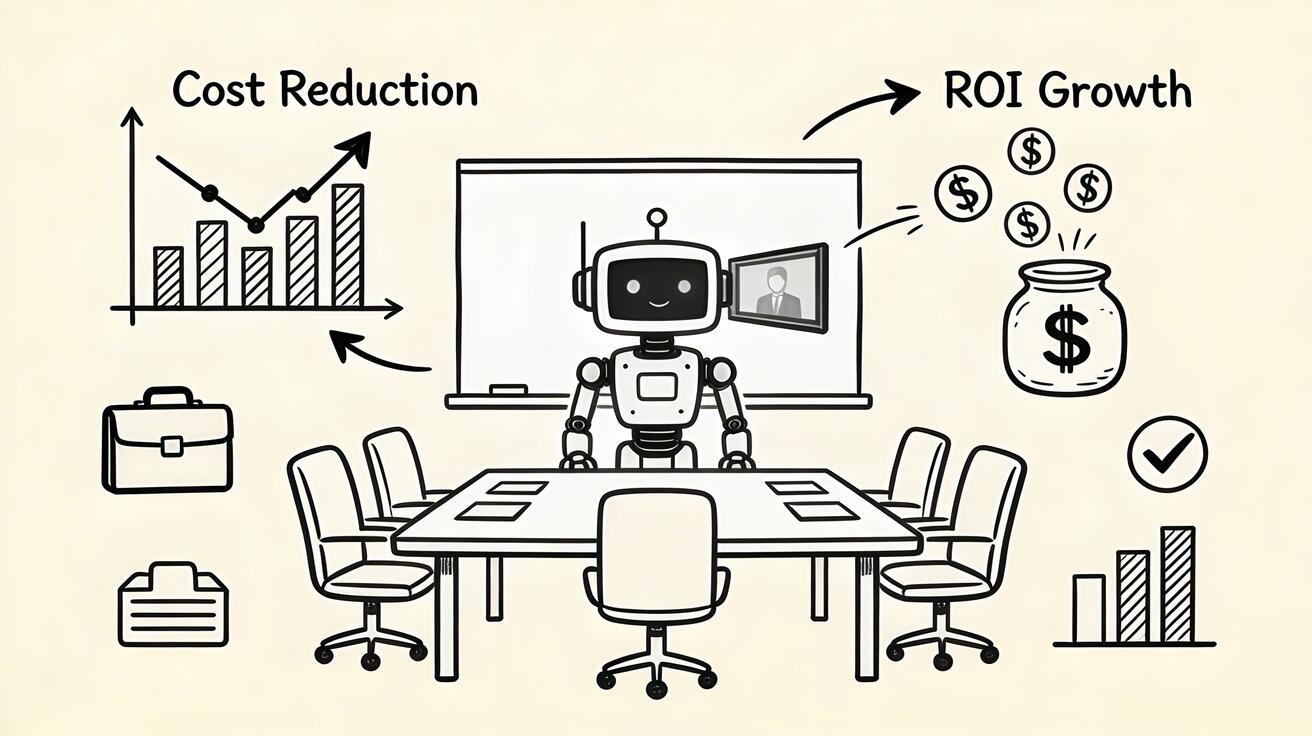
Veo 3 for Business: The Ultimate Guide to AI Video Production (2026)
Video is no longer optional for businesses — it's essential. But traditional video production costs $1,500-$15,000 per minute of finished content. Google's Veo 3 is changing this equation, enabling businesses to produce professional-quality video at a fraction of the cost.
Quick Answer: Google Veo 3 is Google DeepMind's flagship AI video generation model, delivering industry-leading cinematic quality, synchronized audio generation, and precise text-to-video control. It's accessible via Google Labs and Gemini, with free and paid tiers available to creators worldwide.
This guide covers everything businesses need to know about implementing Veo 3 for their video production needs: use cases, ROI analysis, workflow integration, and practical tips from companies already using it at scale.
The Business Case for Veo 3
Traditional Video Production Costs
| Content Type | Traditional Cost | Time Required |
|---|---|---|
| 30-sec social ad | $2,000-5,000 | 2-3 weeks |
| 2-min product demo | $5,000-15,000 | 3-4 weeks |
| 60-sec explainer | $3,000-8,000 | 2-3 weeks |
| Website hero video | $8,000-25,000 | 4-6 weeks |
Veo 3 Production Costs
| Content Type | Veo 3 Cost | Time Required |
|---|---|---|
| 30-sec social ad | $50-200 | 1-3 hours |
| 2-min product demo | $100-400 | 2-4 hours |
| 60-sec explainer | $75-300 | 1-3 hours |
| Website hero video | $150-500 | 3-6 hours |
Average cost reduction: 85-95% Average time reduction: 75-90%
Top Business Use Cases for Veo 3
1. Social Media Content at Scale
The biggest ROI opportunity. Businesses that post consistently on social media see 3-5x more engagement, but most can't afford the production cost.
How businesses use Veo 3:
- Generate 30+ social media clips per week from product images
- Create platform-specific versions (Instagram, TikTok, LinkedIn) simultaneously
- React to news and trends with same-day video content
- Test multiple creative variations without extra cost
Real Impact: A mid-size e-commerce brand reported increasing social posting from 3x per week to 28x per week after implementing Veo 3, resulting in a 340% increase in social media-driven revenue.
2. Product Demonstration Videos
Product demo videos increase conversion rates by 64-85% on e-commerce pages. But most small businesses can't afford to produce them for every product.
How Veo 3 solves this:
- Upload a product photo → generate a dynamic product showcase video
- Create multiple variations for A/B testing
- Update product videos seasonally without reshooting
- Localize visual content for different markets
Workflow:
- Professional product photography (you need this once)
- Upload to Veo 3 / use Seedance image-to-video
- Add motion, lighting effects, camera angles
- Overlay text and pricing
- Publish to product pages
3. Marketing Campaign Videos
Campaign videos at traditional production prices require budget allocation months in advance. AI video generation makes campaign iteration possible in real-time.
Ideal for:
- Google and Meta video ad campaigns
- Email marketing video thumbnails
- Landing page hero videos
- Trade show and event displays
Creative Workflow:
- Brief Veo 3 with your campaign concept and brand guidelines
- Generate 10-20 variations
- Select top 3-5 for testing
- Run A/B tests with actual audiences
- Scale the winning variation
4. Internal Training and Communications
Employee training videos are expensive and quickly become outdated. Veo 3 enables continuous content refresh.
Use cases:
- New employee onboarding videos
- Product training updates (update when product changes)
- Company announcements and town halls
- Process documentation videos
Cost Benefit: A company with 200 employees saving $50,000/year in training video production costs sees full ROI on AI video tools within the first month.
5. Real Estate and Architecture
Property videos are proven to increase listing views by 403% and reduce time on market by up to 50%.
How Veo 3 transforms real estate:
- Animate floor plan renderings into walkthrough videos
- Create virtual staging of empty properties
- Generate neighborhood highlight reels from photos
- Produce property listing videos from still photography
6. Healthcare and Medical Communication
Patient education, procedure explanations, and wellness content all benefit from video but face high production costs.
Applications:
- Patient education videos (from medical illustrations)
- Procedure preparation guides
- Staff training and compliance content
- Telehealth waiting room content
Note: All medical video content must be reviewed by qualified professionals before distribution.
Implementation Guide: Getting Started with Veo 3 for Business
Phase 1: Pilot (Week 1-2)
Goal: Validate the quality and workflow for your specific use case
- Define your primary use case (social media, product demos, ads)
- Gather existing assets (product photos, brand images, visual guidelines)
- Generate 20-30 test videos at Veo 3 AI
- Quality assessment: Are outputs meeting your brand standards?
- Workflow mapping: How will Veo 3 fit into existing processes?
Phase 2: Integration (Week 3-4)
Goal: Build repeatable workflows
- Establish prompt templates for your content types
- Create a brand style guide for AI prompting (colors, tone, visual style)
- Set up asset management for generated videos
- Train team members on the workflow
- Define quality control process
Phase 3: Scale (Month 2+)
Goal: Full production integration
- Content calendar: Plan AI video production like traditional content
- Analytics integration: Track performance of AI-generated content
- Iteration system: Document what prompts produce best results
- Expand use cases: Add new content types as workflow matures
ROI Calculator
Estimate your annual savings with AI video production:
Traditional production cost per video: $2,000 (conservative average) Videos you currently produce per year: _____ Videos you'd produce with AI (typically 5-10x more): _____ Annual savings: (current videos × $2,000) - (AI platform cost ~$3,000/year)
Example:
- Current: 12 videos/year × $2,000 = $24,000
- With AI: 60 videos/year × $200 = $12,000 (includes platform + editing time)
- Annual savings: $12,000 | ROI: 400%
Quality Control for Business Use
AI-generated video requires a quality review process before publishing:
Essential Checks
- [ ] Brand colors and visual style consistent
- [ ] No AI artifacts (distorted text, weird physics, flickering)
- [ ] Appropriate for target audience
- [ ] Legal compliance (no recognizable people, copyrighted elements)
- [ ] Audio quality (if voiceover added)
Brand Safety Considerations
- Never use Veo 3 for content involving sensitive topics
- Avoid generating content with identifiable people without explicit consent
- Disclose AI generation where platform policies require
- Maintain human review for all customer-facing content
Integrating Veo 3 with Your Marketing Stack
Social Media Scheduling: Buffer, Hootsuite, and Later all support video scheduling. Generate videos in Veo 3, download, and schedule.
CRM and Email: Embed video thumbnails in email campaigns. A/B test video vs static email with your email provider.
Ad Platforms: Upload directly to Google Ads, Meta Ads Manager, or TikTok Ads Manager. AI-generated video performs comparably to human-produced video for most ad formats.
Website Integration: Use generated videos as homepage heroes, product page backgrounds, and about page content.
Industry-Specific Tips
E-commerce: Focus on product-in-use videos and seasonal lookbooks SaaS: Generate UI demo videos and feature announcements Professional Services: Create explainer videos and thought leadership content Education: Produce course previews and learning module introductions Hospitality: Generate destination and property showcase videos
FAQ for Business Users
Is Veo 3-generated content eligible for Google Ads?
Yes. Google Ads accepts AI-generated video content as long as it complies with their advertising policies.
Can we use Veo 3 videos in broadcast TV advertising?
Resolution may be a limitation for traditional broadcast (requires 4K+). For digital advertising including YouTube, streaming, and connected TV, Veo 3 output is fully compliant.
How do we handle AI video disclosure in B2B contexts?
Many B2B companies now include "AI-assisted production" in their video credits. This is increasingly seen as a mark of efficiency rather than a drawback.
What's the minimum budget to start using Veo 3 for business?
You can start with Veo 3's free tier at veo3ai.io to test the quality. Paid business plans start at approximately $49/month for commercial use.
How do we ensure brand consistency across AI-generated videos?
Develop a "brand prompt template" that specifies your visual style, colors, tone, and specific elements. Apply this template consistently across all generations.
Getting Started Today
The businesses winning with AI video in 2026 started small: one use case, one workflow, measured results. Start with social media content — it has the lowest stakes, highest volume requirement, and most measurable ROI.
Your first steps:
- Create a free account at Veo 3 AI
- Generate 10 test videos from your existing product/brand images
- Post the best ones on social media and measure engagement
- Calculate your potential ROI and make the business case internally
The cost of not adopting AI video in 2026 is increasingly the cost of falling behind competitors who have.
Our Verdict
After reviewing the available options and capabilities for veo 3 for business guide 2026, we recommend taking a hands-on approach: start with a free trial of the leading platforms, test with your actual use cases, and upgrade to the plan that best matches your volume and quality requirements. The AI tools in this space are advancing rapidly, making now an excellent time to integrate them into your content creation workflow.
Related Articles
Continue with more blog posts in the same locale.
Veo 3 for Beginners: Complete Getting Started Guide 2026
Master Veo 3 AI video generation with our complete beginner guide. Learn step-by-step how to create your first videos, write better prompts, and avoid common mistakes.
Read article
Veo 3 Text to Video: Complete Guide to Google AI Video Generation (2026)
Comprehensive guide to using Veo 3 for text-to-video generation. Covers access, prompting framework, comparisons with Runway and Kling, limitations, and workflow optimization.
Read article
Veo 3 for Marketing Teams: Create AI Video Ads That Convert
Discover how marketing teams use Veo 3 to create high-converting video ads 10x faster. Complete guide with ROI analysis, A/B testing strategies, and real use cases.
Read article