
Veo 3 Audio Features Guide 2026: Native Sound Generation, Sync and Best Practices
Complete Veo 3 audio guide: native sound generation, audio prompting, post-production integration, platform audio requirements, and sound design philosophy.
Emma Chen · 14 min read · Apr 20, 2026
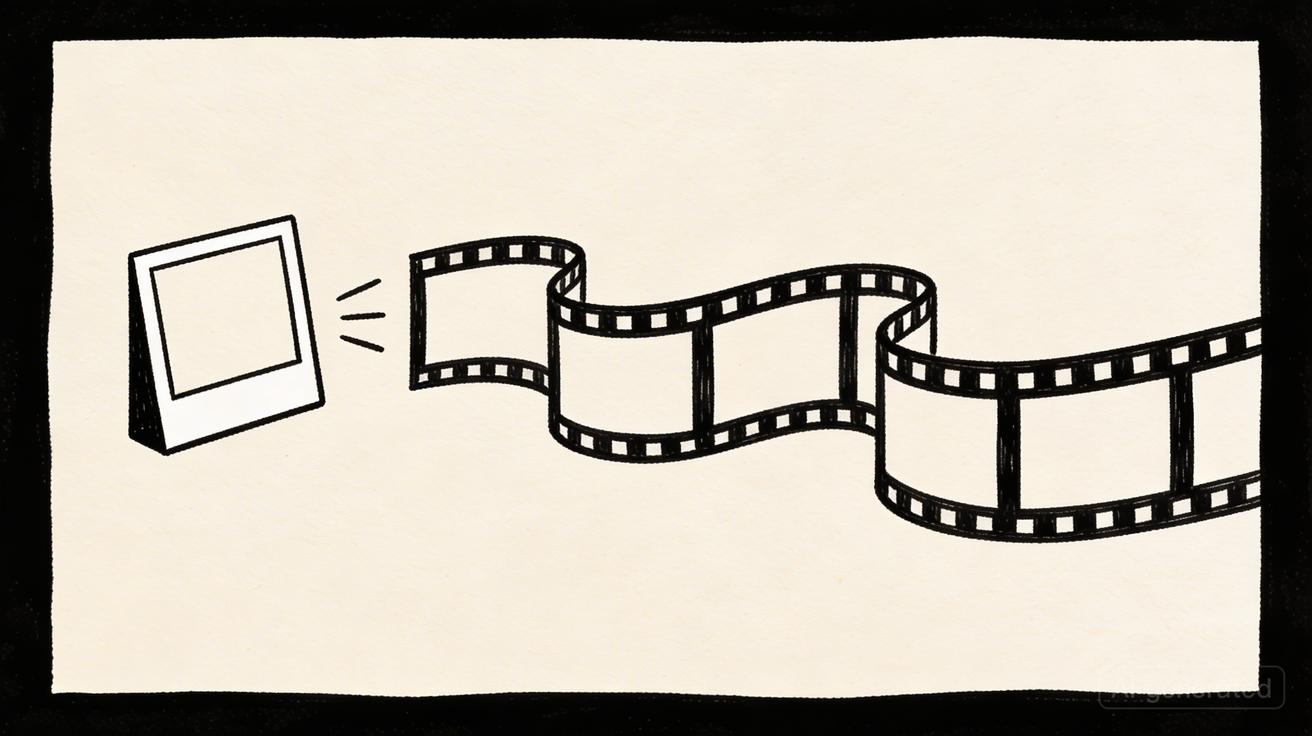
Veo 3 Audio Features Guide 2026: Native Sound Generation, Sync & Best Practices
One of the most distinctive capabilities of Veo 3 is its native audio generation — the ability to generate synchronized sound effects, ambient audio, and dialogue alongside the video. This guide covers how Veo 3's audio generation works, how to write prompts that include audio, and how to integrate Veo 3's audio output into professional production workflows.
What Makes Veo 3 Audio Generation Unique
Most AI video models generate silent video. Veo 3 is one of the first commercially available AI video models to generate synchronized audio as part of the same generation process. This is significant because:
Temporal synchronization: The audio is generated with the video simultaneously, meaning sound events are naturally synchronized with visual events. A door slamming in the video produces a sound that syncs with the visual impact without manual alignment.
Environmental coherence: The audio model understands the environment depicted in the video. A forest scene produces ambient forest sounds; a city street produces traffic and crowd noise. The audio is contextually appropriate, not randomly selected.
Dialogue and speech: Veo 3 can generate speech from characters in the video. While still imperfect, this capability represents a significant advance in end-to-end AI video production.
Physical accuracy: Just as Veo 3's video generation reflects physical principles, the audio generation reflects acoustic principles — sounds that bounce off hard surfaces behave differently than sounds in absorptive environments.
How Veo 3 Audio Generation Works
Veo 3's audio generation is part of the same multimodal model that generates the video. The model was trained on video-audio pairs, learning the relationship between visual events and corresponding sounds. At generation time, the model generates both video frames and audio frames in an integrated process.
This differs from post-hoc audio addition — where a separate model analyzes completed video and adds sounds — by generating audio and video from the same temporal understanding of the scene.
The result is audio that feels like it was recorded on set rather than added in post-production.
Writing Prompts for Audio
When writing prompts for Veo 3 with audio, you can explicitly describe the audio you want alongside the visual description.
Audio Prompt Elements
Ambient sound: The background acoustic environment.
[scene description], [ambient sound description]

Example: "Dense rainforest, morning light through canopy, birds singing,
distant waterfall, gentle wind through leaves"
Sound effects: Specific sound events that correspond to visual events.
Example: "Waves crashing against rocky shore, the sound of water on stone,
seagulls in the distance"
Music style (where applicable): The general character of any incidental music.
Example: "Minimal piano accompaniment, contemplative"
(Note: music generation quality varies; explicit sound effects are more reliable)
Dialogue: For scenes with characters speaking.
Example: "Person at podium addressing audience, clear articulate speech,
reverberant conference hall acoustics"
Silence: When no audio is desired.
Example: Add "no audio" or "silent" to your prompt to generate silent video
Audio Prompt Best Practices
Be specific about the acoustic environment: "Recording studio with treated walls" sounds different from "cathedral reverb" which sounds different from "outdoor plaza with crowd noise." Specify the acoustic character of the space.
Describe sound events in sequence: If multiple sound events occur, describe them in the order they should appear: "Car door opens, footsteps on gravel, key in lock, door opens."
Separate audio description from visual description: While Veo 3 handles integrated descriptions, some creators find it helpful to explicitly separate visual and audio elements: "[Visual: ...][Audio: ...]"
Test with and without audio prompts: Sometimes letting the model infer audio from the visual context produces better results than explicit audio description, particularly for straightforward environmental sounds.
Audio Quality Considerations
What Veo 3 Audio Does Well
Environmental ambience: Wind, rain, water, crowd noise, traffic, nature sounds. These are the most reliable audio generation outputs.
Simple sound effects: Doors, footsteps, impacts, machine sounds. Clear physical cause-and-effect sound events generate consistently.
Character voices: Basic speech generation is improving. Clear, single-speaker dialogue in simple scenarios is more reliable than complex multi-speaker scenes.
Music-adjacent content: Atmospheric, non-melodic audio works better than structured music with melody and harmony.
Audio Limitations
Complex music: Melodic music with structured harmony remains challenging. For music-backed content, add music in post-production rather than relying on AI generation.
Precise dialogue timing: Complex dialogue scenes with precise timing requirements may need post-production audio replacement.
Audio-only elements: Elements with no visual counterpart (off-screen sounds) may be inconsistent.
High-frequency detail: Very fine acoustic detail — the specific character of a particular instrument's timbre, for example — is less reliable than broad acoustic environments.
Integrating Veo 3 Audio into Professional Workflows
When to Use Generated Audio Directly
For many professional applications, Veo 3's generated audio is ready to use without modification:
Social media content: Environmental sound and simple effects for social media are usually sufficient quality without modification.
Background video: Ambient audio for website background video, digital signage, and presentation content.
Draft content: Early-stage review versions where audio quality doesn't need to meet final production standards.
Low-to-medium stakes commercial content: Many commercial video applications don't require broadcast-quality audio — digital advertising, website content, internal communications.
When to Replace or Enhance Audio
For higher-stakes applications, enhance or replace Veo 3's generated audio:
Broadcast advertising: Replace all audio with studio-recorded sound design and professionally licensed music.
Film and narrative content: Replace dialogue with recorded performance; enhance environmental audio with professional sound design.
Presentations and events: Audio quality in event environments is scrutinized — use professional audio production.
Products with sonic identity: Brands with established sound design guidelines need custom audio that matches their standards.
Post-Production Audio Workflow
For content that needs audio enhancement:
Step 1: Receive Veo 3 output Download the video file with generated audio. Review the audio quality and synchronization.
Step 2: Import to DAW or NLE Import into your digital audio workstation (Pro Tools, Logic, Reaper) or non-linear editor (Premiere, DaVinci Resolve).
Step 3: Audio review Review the AI-generated audio track:
- Mark segments that are usable
- Identify segments that need replacement or enhancement
- Note any synchronization issues
Step 4: Replace or enhance For segments that need work:
- Replace dialogue with recorded VO
- Replace music with licensed tracks
- Enhance environmental sounds with library sound effects
- Correct synchronization issues
Step 5: Mix and master Mix all audio elements for the final output. Apply mastering for the target platform.
Audio Workflow: Veo 3 vs. Silent Video + Post
Many creators choose to generate silent video and add audio entirely in post-production. Both approaches have merit:
| Approach | Pros | Cons |
|---|---|---|
| Veo 3 native audio | Naturally synchronized, saves time, contextually appropriate | Variable quality, limited music |
| Silent + post audio | Full control, professional quality, custom music | Extra workflow step, synchronization work |
Recommendation: Use native audio for draft review and social media content. Switch to post audio for broadcast, film, and premium commercial applications.
Platform-Specific Audio Considerations
Social Media Platforms
TikTok: Most successful TikTok content uses trending audio tracks, not the original audio. Generate content with Veo 3's environmental audio for the review process, then replace with trending TikTok audio in the app editor.
Instagram Reels: Similar to TikTok — trending audio drives distribution. Use AI-generated ambient audio for preview, replace with music for publishing.
YouTube: YouTube has robust audio matching — ensure any music is either generated, original, or properly licensed. Veo 3's ambient sound is generally safe; music requires licensing review.
LinkedIn: LinkedIn video often plays in professional settings with audio off. Focus on visual quality; audio is secondary.
Twitter/X: Video often autoplays without sound. Audio is supplementary; optimize for visual-only communication.
Broadcast and Digital Advertising
All commercial audio in broadcast contexts should go through professional audio production. Veo 3's generated audio is a starting point, not a final deliverable for broadcast.
Work with professional sound designers who understand AI workflow integration. Many sound design studios now offer "AI audio finish" services specifically designed for AI-generated video.
Veo 3 Audio Examples: Prompt to Output
Nature Documentary
Prompt: "Dense Amazon rainforest at dawn, sunlight through mist, birds calling in canopy, distant howler monkey, rain beginning to fall, BBC nature documentary style"
Expected audio: Rich bird calls, emerging rain sound, distant primate vocalization, gentle jungle ambience. This is a strong use case for Veo 3 audio — complex environmental audio with multiple layers.
Urban Scene
Prompt: "Busy Tokyo street crossing at night, neon signs, crowds, traffic sounds, rain-slicked streets, ambient city noise, cinematic"
Expected audio: Traffic, crowd murmur, rain on pavement, urban ambient. Strong use case — complex but physically grounded audio environment.
Product Commercial
Prompt: "Luxury watch being removed from box, soft tissue rustle, watch clasp sound, placement on marble, dramatic lighting, luxury commercial"
Expected audio: Subtle tissue sound, precise mechanical clasp, marble surface impact. Good use case for simple sequential sound effects.
Office Environment
Prompt: "Modern open office, people working, keyboard sounds, distant conversation, air conditioning hum, professional and active"
Expected audio: Keyboard clicks, low conversation murmur, HVAC. Reasonable use case — familiar and physically consistent environment.
Frequently Asked Questions
Does Veo 3 always generate audio? No — audio generation is optional. You can prompt for silent video or specify that no audio is desired.
Can I control the specific music Veo 3 generates? Control is limited. You can describe the character of music (e.g., "slow piano, melancholic"), but specific melody, tempo, and harmony control is not currently available. For precise music requirements, add music in post-production.
Is Veo 3-generated audio commercially licensable? Yes, subject to Google's terms of service for generated content. The same commercial use rights that apply to the video apply to the audio.
How does Veo 3 audio compare to professional sound design? Professional sound design delivers superior quality and precision for high-stakes applications. Veo 3 audio is sufficient for many commercial applications and significantly faster and less expensive than professional sound design.
Can I extract just the audio from Veo 3? Yes — the output is a standard MP4 file, and you can extract the audio track using standard tools. However, the audio's value comes from its synchronization with the video.
Does Seedance generate audio? Currently Seedance generates video without native audio generation. For audio-accompanied content, add audio in post-production. This is different from Veo 3, which generates both simultaneously.
Create professional AI video with Seedance's free tier at seedance.tv →
The Future of AI Audio and Video
Veo 3's native audio generation represents an early but significant step toward fully integrated AI audiovisual production. The trajectory is clear:
Near-term improvements (2026):
- Better music generation with melodic coherence and rhythmic precision
- More consistent dialogue generation with accurate lip sync
- Finer control over audio mix — balance between foreground and background elements
- Extended audio memory for longer clips
Medium-term capabilities (2027-2028):
- Real-time audio generation for interactive applications
- Multi-speaker dialogue scenes with accurate turn-taking
- Integration with text-to-speech systems for controlled dialogue
- Style transfer for audio — generate audio "in the style of" a reference track
Long-term vision: A complete AI production environment where a single prompt generates a fully produced audiovisual piece — video, audio, music, dialogue, sound design — ready for distribution with minimal human intervention.
We are in the early stages of this trajectory. Veo 3's audio generation is a preview of where the technology is heading. Understanding its current capabilities and limitations helps you leverage it effectively today while preparing for the expanded capabilities that are coming.
Practical Getting-Started Checklist
For creators who want to start using Veo 3 audio features:
Before generating:
- [ ] Define whether you need audio in the final output
- [ ] Decide between AI-generated audio and post-production audio
- [ ] Prepare your audio description for the prompt (for AI audio)
- [ ] Set up your post-production audio workflow (for post audio)
When prompting:
- [ ] Include explicit audio description in your prompt
- [ ] Specify the acoustic environment
- [ ] Describe sound events in sequence
- [ ] Test with and without audio to compare
After generation:
- [ ] Review audio synchronization
- [ ] Identify segments for enhancement
- [ ] Apply post-production audio if needed
- [ ] Check platform-specific audio requirements before publishing
For professional content:
- [ ] Review commercial licensing terms for AI-generated audio
- [ ] Ensure any music elements are licensed or fully AI-generated
- [ ] Consider professional sound design review for broadcast content
- [ ] Document the audio source for compliance purposes
Veo 3's audio generation capability is a differentiating feature that sets it apart from silent AI video generators. Used thoughtfully — understanding its strengths for environmental and ambient audio and its limitations for structured music and complex dialogue — it can significantly accelerate your video production workflow and reduce the time and cost of audio post-production.
The creators who learn to leverage Veo 3's audio capabilities effectively will produce richer, more immersive content faster and at lower cost than those who treat AI video as a silent medium requiring full audio production from scratch.
Try Seedance's free AI video generation at seedance.tv while preparing for Veo 3 access →
Sound Design Philosophy for AI Video
The introduction of AI audio generation invites a new question: how should you think about sound design in AI video production?
Traditional sound design is intentional — every sound serves a purpose, contributes to the emotional experience, and is placed deliberately. The best AI video audio follows the same philosophy:
Every sound should serve the story: Ambient rain creates atmosphere and emotion. Random ambient sound fills space without adding value. Prompt for sounds that contribute to the feeling you want to create.
Audio is emotional: Sound has profound effects on emotional state. The same visual with different audio produces completely different emotional responses. Rain can feel peaceful or ominous depending on the audio character. Be intentional about the emotional register of your audio.
Absence of sound is a tool: Silence is as powerful as sound. Moments of silence in otherwise sound-rich content create tension and focus attention. Veo 3 allows you to control this by prompting for quiet environments or explicitly requesting minimal audio.
Sound quality matches visual quality: In professional content, audio and video quality should be consistent. High-quality video with low-quality audio creates cognitive dissonance. If your video quality is professional, ensure your audio quality is too — either through high-quality AI generation or post-production work.
Audio tells what visuals cannot: Some information is communicated more effectively through audio than video. Character motivation, off-screen events, temporal context (time of day, season) — all can be communicated through carefully chosen audio cues. Use audio to add information layers that complement rather than repeat the visual.
These principles apply regardless of whether your audio is AI-generated, library-sourced, or recorded. The craft of sound design is about intentionality, and that craft is fully applicable in AI video workflows.
As AI audio generation improves, the distinction between "AI-generated" and "professionally produced" audio will narrow. The creators who develop strong audio design sensibilities now — learning to listen critically and articulate what they want from audio — will be best positioned to leverage increasingly powerful AI audio capabilities as they become available.
Veo 3's audio generation is a tool. Like all tools, its value depends on the skill and intention of the person using it. Master the principles, understand the capabilities and limitations, and use audio as a deliberate creative and strategic element in every video you produce. The AI video era has arrived, and sound is an essential part of it. Seedance, while currently generating silent video, is actively developing audio capabilities — watch for updates that will bring similar audio generation to Seedance's platform in the near future.
Related Articles
Continue with more blog posts in the same locale.
Veo 3 for Beginners: Complete Getting Started Guide 2026
Master Veo 3 AI video generation with our complete beginner guide. Learn step-by-step how to create your first videos, write better prompts, and avoid common mistakes.
Read article
Veo 3 Text to Video: Complete Guide to Google AI Video Generation (2026)
Comprehensive guide to using Veo 3 for text-to-video generation. Covers access, prompting framework, comparisons with Runway and Kling, limitations, and workflow optimization.
Read article
Veo 3 for Marketing Teams: Create AI Video Ads That Convert
Discover how marketing teams use Veo 3 to create high-converting video ads 10x faster. Complete guide with ROI analysis, A/B testing strategies, and real use cases.
Read article