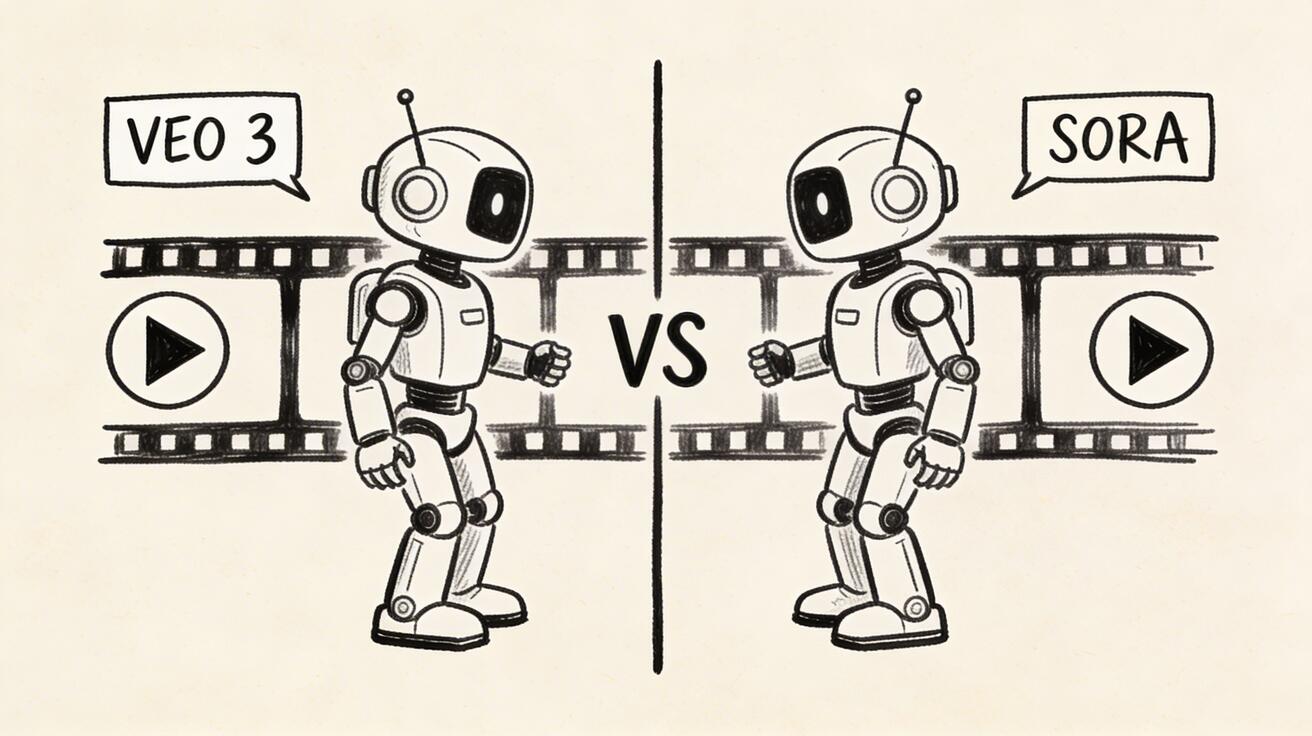
Sora 2 Free Alternative: Best Options in 2026
Looking for a free Sora 2 alternative? Discover the best AI video generators that match Sora quality without the price tag. Veo 3, Seedance, Kling and more.
Emma Chen · 17 min read · Apr 11, 2026
Sora 2 Free Alternative: Best Options in 2026
OpenAI's Sora 2 has taken the AI video world by storm, delivering cinematic, photorealistic video from a simple text prompt. But there's a catch — and it's a big one. Sora 2 is locked behind a ChatGPT Plus or Pro subscription, meaning you need to spend at least $20 to $200 per month just to get access. On top of that, usage is throttled, and availability has been patchy since launch. For creators, students, indie filmmakers, and marketers who want to explore AI-generated video witho
Quick Answer: The best options for sora 2 free alternative: options in 2026 in 2025 combine ease of use, output quality, and pricing flexibility. Our top picks are highlighted below with hands-on testing insights.
ut breaking the bank, this is a serious barrier.
The good news? You don't need Sora 2 to create stunning AI videos in 2026. A new generation of free Sora 2 alternatives has emerged — tools that match or even surpass Sora 2 on quality, accessibility, and creative flexibility. In this guide, we've tested and ranked the top 6 free Sora 2 alternatives, with special focus on Google Veo 3 — currently the strongest free option available. Let's dive in.
Why Look for a Sora 2 Alternative?
Before we explore the alternatives, it's worth understanding exactly why Sora 2 falls short for so many users — and why the demand for free Sora alternatives has exploded in 2026.
1. The Price Is a Real Barrier
Sora 2 is not free. To use it, you need:
- ChatGPT Plus: $20/month — gives limited Sora access with a monthly video cap
- ChatGPT Pro: $200/month — unlocks more generations and longer video durations
For a professional studio, $200/month might be justifiable. But for a solo creator, student, or small business owner, that's a steep ask — especially when you're still experimenting and learning.
2. Waitlists and Limited Access
Despite launching to much fanfare, Sora 2 has faced supply constraints. Many users have reported hitting monthly generation limits unexpectedly, or finding that the feature is unavailable during peak usage. If you're on a deadline, this inconsistency is unacceptable.
3. Geographic Restrictions
Sora 2 is not available in all countries. Users in certain regions — including parts of Europe due to regulatory concerns, and many developing countries — simply cannot access it at all.
4. No API for Developers
If you're a developer building a product, Sora 2 currently offers no public API. You can't integrate it into your workflow, build automations, or use it programmatically. Many of the alternatives below actually offer API access, which is a significant advantage.
5. The Competition Has Caught Up
In 2026, the AI video landscape has evolved dramatically. Tools like Google Veo 3, Seedance 2.0, and Kling 3.0 have closed the gap dramatically — and in many cases, they offer better results for specific use cases while remaining free or freemium.
Top Free Sora 2 Alternatives in 2026
Here are the six best free Sora 2 alternatives you can start using today, ranked by quality, accessibility, and overall value.
🥇 1. Veo 3 by Google DeepMind — Best Overall Free Alternative
Veo 3 is Google DeepMind's flagship AI video generation model, and it has quickly become the #1 Sora 2 alternative for creators who want top-tier quality without the subscription cost. Released in 2025 and updated through 2026, Veo 3 consistently produces stunning, cinematic video clips from text prompts — and it's accessible for free through veo3ai.io.
Why Veo 3 is the best free Sora 2 alternative:
- Google DeepMind quality: Backed by one of the world's top AI research labs, Veo 3 delivers photorealistic video with accurate physics, natural motion, and impressive scene coherence
- Free access: Unlike Sora 2, you don't need a paid subscription to start — just visit veo3ai.io and generate your first video
- Long video support: Veo 3 can generate longer video clips than many competitors, making it ideal for storytelling, ads, and cinematic content
- Excellent prompt adherence: Veo 3 follows complex, multi-element prompts with impressive accuracy — exactly what filmmakers and marketers need
- No technical expertise required: The interface is clean and simple; write your prompt, choose your settings, and generate
- Regular updates: Google continues to refine Veo 3, meaning quality keeps improving
Best for: Filmmakers, YouTubers, marketers, content creators who want the absolute best free AI video quality
Free tier: Yes — generate videos for free at veo3ai.io
🥈 2. Seedance 2.0 by ByteDance — Best Generous Free Quota
Seedance 2.0 is ByteDance's powerful AI video model, and it's the second-best free Sora alternative in 2026. The free tier is remarkably generous compared to most competitors, giving creators a meaningful amount of video generation without any payment.
Key features:
- Built on ByteDance's cutting-edge video foundation model
- High-quality motion and scene consistency
- Supports both text-to-video and image-to-video workflows
- Free quota refreshes regularly, giving you ongoing access
Seedance 2.0 excels at producing smooth, visually rich video clips with excellent color grading. It's particularly strong at generating content with human subjects and natural environments. The interface is intuitive, and the results are competitive with Sora 2 in many scenarios — especially for shorter clips under 10 seconds.
Best for: Content creators who want consistent free access with ByteDance's strong video engine
Free tier: Yes — generous free credits with regular refresh
🥉 3. Kling 3.0 by Kuaishou — Best for High-Fidelity Motion
Kling 3.0 is the latest version of Kuaishou's acclaimed AI video generator, and it's widely regarded as one of the most technically impressive models available. Where Kling truly shines is in motion quality — the videos feel fluid, natural, and physically convincing in a way that many Western tools still struggle to match.
Key features:
- Industry-leading motion synthesis — characters and objects move realistically
- Strong performance on action sequences and dynamic scenes
- Text-to-video and image-to-video modes
- Partial free access available (limited daily generations)
- Professional mode for cinema-quality output
The free tier gives you enough credits to test the system and produce real content. For users who find Sora 2's motion slightly stiff or unnatural, Kling 3.0 is often a revelation. Many professional video producers now prefer it for specific use cases like sports sequences, dance videos, and action-oriented content.
Best for: Creators who prioritize natural, fluid motion above all else
Free tier: Partial — limited free generations daily
4. Runway Gen-3 Alpha — Best for Creative Filmmakers
Runway Gen-3 Alpha has been a favorite among professional filmmakers and creative directors since its release, and it remains one of the most artistically capable AI video tools available in 2026. Runway's strength is its cinematic quality and camera control — features that matter enormously to serious content creators.
Key features:
- Advanced camera motion controls (pan, zoom, dolly, crane shots)
- High-quality film grain, color science, and visual aesthetics
- Image-to-video conversion with excellent fidelity
- Act-One feature for directing character performances
- Free trial available for new users
While Runway is primarily a paid product, new users get free credits to start, and the experience is worth exploring. The interface is professional-grade, with more creative controls than Sora 2's relatively streamlined approach. For filmmakers who want control over every element of their shot, Runway offers capabilities that Sora 2 simply doesn't.
Best for: Professional filmmakers, directors, and visual storytellers who want maximum creative control
Free tier: Trial credits for new users
5. Pika 2.0 — Best for Ease of Use
Pika 2.0 has carved out a unique niche as the most accessible and beginner-friendly AI video generator in the market. If you're new to AI video and find tools like Runway or Veo 3 overwhelming, Pika is the perfect starting point.
Key features:
- Extremely intuitive, consumer-friendly interface
- "Pikaffects" — stylized video effects you can apply with one click
- Strong image-to-video capabilities
- Works seamlessly with Discord and web browser
- Free plan available with daily generation limits
Pika 2.0 isn't the most powerful AI video tool in this list, but it's the one your non-technical friends can pick up in five minutes. The free plan gives you daily video generations, and the quality is solid for social media content, memes, short-form video, and creative experimentation.
Best for: Beginners, social media creators, and anyone who wants quick, fun AI video without a learning curve
Free tier: Yes — daily free generations
6. Hailuo by MiniMax — Best Chinese AI Video Model with Free Credits
Hailuo (by MiniMax, also known as Hailuo AI Video) is one of China's most powerful AI video generators, and it has been turning heads globally for its surprisingly high-quality output. In 2026, it has become a serious contender as a Sora 2 free alternative, particularly for users in Asia.
Key features:
- High-resolution video output with excellent detail
- Strong performance on photorealistic human faces and expressions
- Free credits available to all new users
- Fast generation speed compared to many Western tools
- Supports multiple video styles and aspect ratios
Hailuo's outputs are frequently shared on social media as examples of cutting-edge AI video quality. The model handles human subjects with particular grace — facial expressions, lip sync (in supported modes), and body language all look convincingly real.
Best for: Creators who want photorealistic human-focused video and don't mind using a Chinese platform
Free tier: Yes — free credits for new and existing users
Veo 3 vs Sora 2: A Detailed Comparison
Now let's go deeper on the head-to-head comparison that matters most: Google Veo 3 versus OpenAI Sora 2. These are currently the two most technically capable AI video generators in the world, and choosing between them comes down to a few key factors.
Video Quality
Sora 2 produces exceptional, photorealistic video with impressive scene consistency and detail. OpenAI has clearly invested heavily in physical simulation — objects, lighting, and environments behave with a realism that impressed the industry upon launch.
Veo 3 matches Sora 2 on quality in nearly every tested scenario. In independent comparisons by creators, Veo 3 often performs better on:
- Complex multi-character scenes
- Natural environments (landscapes, weather effects)
- Long-form coherence (maintaining scene consistency over longer clips)
Verdict: Tie — both deliver world-class quality; your specific use case may favor one or the other.
Accessibility and Cost
| Feature | Veo 3 | Sora 2 |
|---|---|---|
| Free access | ✅ Yes (via veo3ai.io) | ❌ No (requires $20–$200/mo) |
| No subscription needed | ✅ Yes | ❌ No |
| Geographic availability | 🌍 Broad | ⚠️ Restricted in some regions |
| API access | ✅ Available | ❌ Not publicly available |
Verdict: Veo 3 wins clearly — free access is a massive advantage.
Prompt Adherence
Both models handle complex prompts well, but Veo 3 shows a slight edge in following multi-element instructions precisely — particularly when the prompt involves multiple characters, specific actions, and defined environments. Sora 2 sometimes simplifies complex prompts, while Veo 3 tends to attempt every element.
Verdict: Veo 3 edges ahead
Speed
Sora 2 generation times vary significantly based on complexity and server load. Users report waiting anywhere from 30 seconds to several minutes. Veo 3 through veo3ai.io offers competitive generation speeds with a clean queue system.
Verdict: Comparable
Creative Control
Sora 2 offers a clean, prompt-focused interface. Veo 3 through veo3ai.io provides additional controls for aspect ratio, video length, and style parameters. For users who want more control over their output, Veo 3 offers more levers to pull.
Verdict: Veo 3 edges ahead
Overall Verdict
For the vast majority of users — especially those who don't have a corporate budget — Veo 3 is the better choice in 2026. It delivers comparable (often superior) quality to Sora 2, it's accessible for free, and it doesn't require a monthly subscription to a separate service. The fact that you can start generating videos right now at veo3ai.io without spending a cent makes it the obvious recommendation.
How to Get Started with Veo 3 for Free
Getting started with Veo 3 is straightforward. Here's a step-by-step guide to generating your first free AI video:
Step 1: Visit veo3ai.io
Navigate to veo3ai.io — this is the easiest and most accessible way to use Google's Veo 3 model without needing a Google One AI Premium subscription.
Step 2: Create Your Account
Sign up for a free account. The process takes less than a minute and doesn't require a credit card. Once you're in, you'll have immediate access to the video generation interface.
Step 3: Write Your First Prompt
This is where the magic happens. Write a detailed text prompt describing the video you want. For best results:
- Be specific about the scene: "A golden retriever running through a sunlit meadow in slow motion, tall grass swaying in the breeze"
- Describe the camera: "Close-up shot", "wide establishing shot", "aerial drone view"
- Include mood and lighting: "Golden hour lighting", "overcast day", "neon-lit night scene"
- Specify motion: "The camera slowly pans left", "characters walk toward the camera"
Step 4: Choose Your Settings
Select your preferred:
- Aspect ratio: 16:9 for YouTube/landscape, 9:16 for TikTok/Reels, 1:1 for Instagram
- Video duration: Start with shorter clips to learn the system
- Quality settings: Higher quality takes longer but produces better results
Step 5: Generate and Download
Hit generate, wait for Veo 3 to work its magic, then download your video. Most generations complete in under two minutes.
Step 6: Iterate and Refine
AI video generation is an iterative process. If your first result isn't perfect, tweak your prompt and try again. The more specific and descriptive your prompt, the better your results.
Pro tip: Save prompts that work well. Build a library of your best-performing prompt structures and reuse them as templates for future videos.
Tips for Getting Sora-Level Results for Free
Using free AI video tools effectively is part skill, part art. Here are the strategies that consistently produce the best results — results that rival or match Sora 2 quality:
1. Master the Prompt Formula
The single biggest factor in AI video quality is your prompt. Use this formula: [Subject] + [Action] + [Environment] + [Camera] + [Lighting] + [Style]
Example: "A lone astronaut walks across a red Martian landscape at sunset, wide shot, long lens, warm golden light, cinematic 4K"
2. Use Cinematic Language
AI video models have been trained on enormous amounts of film and video content. Prompts that use cinematic language tend to produce more film-like results:
- "Golden hour", "blue hour", "magic hour"
- "Bokeh background", "shallow depth of field"
- "Dolly zoom", "tracking shot", "establishing shot"
- "Anamorphic lens", "film grain", "35mm"
3. Start Short, Then Scale
Generate 3-5 second clips first to test your prompt. Longer videos multiply any issues in the prompt. Once you're happy with the style and composition, scale up to longer durations.
4. Use Reference Styles
Mentioning specific visual styles helps AI models calibrate their output:
- "In the style of a Wes Anderson film"
- "Photographed by Annie Leibovitz"
- "Like a National Geographic documentary"
- "Commercial photography, studio lighting"
5. Combine Tools Strategically
The best AI video creators don't use a single tool — they combine them:
- Veo 3 (via veo3ai.io) for primary video generation
- Runway for color grading and style transfer
- Pika for quick effects and social media cuts
- CapCut or DaVinci Resolve for final editing and audio
6. Iterate Relentlessly
Professional results rarely come from the first generation. Plan to generate 5-10 variations of each concept and cherry-pick the best elements. The free tiers of these tools give you enough credits to iterate meaningfully.
7. Optimize for Your Platform
Different platforms reward different video styles:
- YouTube: Long-form, 16:9, high production value, 1080p+
- TikTok/Reels: Vertical 9:16, dynamic motion, punchy first 2 seconds
- Instagram Feed: Square 1:1 or portrait, aesthetic-focused
- Twitter/X: Short, loopable, attention-grabbing first frame
Frequently Asked Questions
Is Sora 2 free to use?
No, Sora 2 is not free. To access Sora 2, you need either a ChatGPT Plus subscription ($20/month) or a ChatGPT Pro subscription ($200/month). Even with a paid subscription, usage is limited by monthly video generation caps. There is currently no free tier for Sora 2. This is one of the main reasons creators are searching for free Sora 2 alternatives like Veo 3.
Is Veo 3 better than Sora 2?
In many ways, yes — especially for free users. In terms of raw video quality, Veo 3 and Sora 2 are extremely competitive, with many independent creators rating them as roughly equivalent in quality. However, Veo 3 has several significant advantages:
- It's free — accessible via veo3ai.io at no cost
- Better prompt adherence in complex multi-element scenes
- Broader geographic availability
- API access for developers and technical users
For most creators, the combination of comparable quality plus free access makes Veo 3 the better practical choice in 2026.
How good is the video quality from free AI video alternatives?
Significantly better than most people expect. The quality of free AI video tools in 2026 has advanced dramatically compared to even a year ago. Tools like Veo 3, Seedance 2.0, and Kling 3.0 can produce:
- Photorealistic video that's difficult to distinguish from real footage
- Smooth, natural motion without the artifacts that plagued earlier AI video
- Complex scenes with multiple characters and environmental elements
- Professional-grade color science and lighting
While there are still scenarios where Sora 2's training data and compute budget show through in subtle ways, for 99% of social media, marketing, and creative use cases, the free alternatives are more than sufficient.
Can I use AI-generated video commercially?
This varies by platform. Veo 3 via veo3ai.io supports commercial use — check the current terms of service on the site. Most AI video platforms allow commercial use on paid plans, with some restrictions on free tiers. Always review the terms of service for each tool before using AI-generated video in commercial projects.
What's the best free alternative to Sora 2 for beginners?
For beginners, we recommend Veo 3 via veo3ai.io as the best combination of quality and ease of use. If you find it too complex, Pika 2.0 is the most beginner-friendly option. Both are free to start.
Do these free AI video tools have watermarks?
Most free tiers include a watermark on generated videos. To remove watermarks, you typically need a paid subscription. Veo 3 via veo3ai.io — check the current plan details on the site for watermark policies. If watermark-free output is critical for your use case, consider upgrading to a paid tier on your preferred platform.
Conclusion
Sora 2 is impressive — but it's not the only game in town, and for most creators, it's not the best option when you factor in cost and accessibility. In 2026, the free Sora 2 alternatives have matured to the point where you can achieve genuinely world-class AI video without spending a cent on subscriptions.
Here's a quick summary of our top picks:
| Tool | Best For | Free Access |
|---|---|---|
| Veo 3 (veo3ai.io) | Best overall quality + free | ✅ Yes |
| Seedance 2.0 | Generous free quota | ✅ Yes |
| Kling 3.0 | Natural motion quality | ⚡ Partial |
| Runway Gen-3 | Creative filmmakers | 🎁 Trial |
| Pika 2.0 | Beginners & social media | ✅ Yes |
| Hailuo | Photorealistic humans | ✅ Yes |
Our top recommendation remains clear: start with Veo 3 at veo3ai.io. It delivers Google DeepMind's best-in-class video quality, it's free to access, and it's the closest thing to — or better than — Sora 2 that you'll find without paying a premium subscription fee.
The AI video revolution is here, and thanks to tools like Veo 3, it's free. Stop waiting for Sora 2 access and start creating today.
Ready to try the best free Sora 2 alternative? Start generating with Veo 3 for free →
Related Articles
Continue with more blog posts in the same locale.
Veo 3 vs Runway Gen-4: Which AI Video Generator Wins in 2026?
Detailed comparison of Google Veo 3 and Runway Gen-4. Quality, pricing, speed, audio, and use cases tested side by side.
Read article
Veo 3 vs Sora 2: The Ultimate AI Video Generator Showdown (2026)
Veo 3 vs Sora 2 compared: quality, pricing, audio, clip length. Which AI video generator is worth your time and money?
Read article